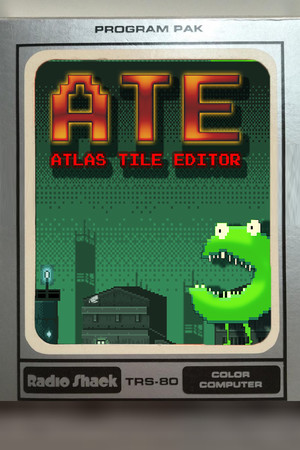
Atlas Tile Editor ATE Key
08.11.2017 (Quelle: Steam)
Lost Astronaut
DRM
Region Global
Preisvergleich
Ein Ergebnis
| Shop | Produkt | Gutschein | Preis | zum Shop |
|---|---|---|---|---|
 Steam
Steam
|
Steam Early Access Key
53452
Aktualisiert:
Auf Lager
DRM: Steam
Region: Global
Edition: Early Access
|
4,99 €
|
Zum Shop |
| Freigegeben | 08. November 2017 |
| Typ | Game |
| Website | zur Website |
| Entwickler | Lost Astronaut |
| Herausgeber | Lost Astronaut Studios |
| Plattform | PC |
| Genres |
Hier findest du eine Auswahl der günstigsten Angebote im Atlas Tile Editor ATE Key Preisvergleich. Spare Zeit und Geld, indem du aus unser Übersicht der besten Game Shop Angebote den besten Preis findest, um so schnell zu deinem gewünschten Key kommst. Hier warten täglich aktualisierte Angebote der wichtigsten Key Shops, damit du immer den besten Deal findest.
Preisverlauf
Preisentwicklung von Atlas Tile Editor ATE
Preis Statistik
| 180 Tage Bestpreis | 4,99 € |
| 30 Tage Bestpreis | 4,99 € |
| Bester Key Preis | 4,99 € |
| Bester Official Stores Preis | 4,99 € |
Atlas Tile Editor ATE auf Steam
Quelle: SteamTags
- Dienstprogramme
- Early Access
- Design & Illustration
Systemanforderungen
Minimum
- OS
- 10
- Memory
- 3 GB RAM
- Graphics
- NVIDIA or ATI
- Storage
- 500 MB available space
- Sound Card
- Required
- Additional Notes
- Supports WinTouch
Über diese Software
Atlas Tile Editor (ATE)
2D TILE CREATOR!
What’s an Atlas Tile?
In games of yore, atlases (also known as sprite sheets) combined to form the entire world of a game. You could build the world by using a single texture, which helps decrease "texture swaps" in GPU hardware, and speeds up the game’s rendering, while also helping the world get made by reusing art stored on these atlases.
Yes, you can save to PNGs and use the output from this program in RPG Maker or GameMaker or Construct or AppGameKit or .. many more game engines!
Atlas Tile Editor (ATE) is an up-and-coming tile editor that will allow pixel artists:
- Create reusable sprite atlases similar to the functionality of GlueIT and TexturePacker.
- Create advanced geometric tilesets for OpenGL (and DirectX) games in a way not currently available.
- Pair customized tilesets with heightmap and normalmap data using a simple cyborg algorithmic and artistic way of building heightmaps as you customize tiles, using a provided height atlas.
- Use the native ATE format, or a JSON exporter for tile overlay geometry features
- Export "baked" tiles (available, but not recommended) as PNG, for legacy engines or engines that cannot use Atlas Tiles(tm).
Whoa whoa whoa, wait, you mean you can put actual geometry on these tiles?
Yes, the entire premise of the Atlas Tile Editor is to provide a way to draw tiles on the fly from a single texture, but using 2D geometry to allow multiple samples from this texture to create essentially new artwork as a collage. The 2D geometry is then assembled into a VBO and displayed in your favorite engine using a shader.
Just to recap, here’s what you’ll do in Atlas Tile Editor (ATE):
1) Create customized tiles from texture atlases.
2) Save "baked" tiles as PNGs
3) Save "unbaked" tiles as ATE packages.
4) Save "unbaked" tiles as CSS/JSON packages.
5) Save your workspace to recall your work whenever you’d like.
6) Create and associate customized height maps, which are converted automatically to normal maps.
7) Export tile packs with height maps, normal maps and color maps.
8) Import and pack tiles using BestRectPack algorithm.
9) Import and pack tiles using "row and column" packing (to create Sprite Sheets)
10) Add, rotate and stretch tile geometry with granular control.
Future features may include:
– Create short replayable presentations in HTML/CSS or
– Create 2d particle FX systems and "bake" films of their animations
– Create 2.5D isometric tiles and export them with normal mapping.
– Create a "3D" atlas tile, similar to a Minecraft block
Häufige Fragen zu Atlas Tile Editor ATE
Worum geht es in diesem Spiel?
Aus der Kurzbeschreibung auf Steam (Originaltext): „2D TILE CREATOR!“
Für welche Plattform gelten diese Angebote?
Verglichen werden Angebote für PC. Edition, Aktivierungsdienst und Region prüfst du beim jeweiligen Angebot.
Welche Sprachen sind für diese Fassung angegeben?
Englisch. Die Angaben unterscheiden nicht zwischen Oberfläche, Untertiteln und Sprachausgabe.
Welche Mindestanforderungen hat die PC-Fassung?
OS: 10
Memory: 3 GB RAM
Graphics: NVIDIA or ATI
Storage: 500 MB available space
Quelle: Steam-Produktseite.
Memory: 3 GB RAM
Graphics: NVIDIA or ATI
Storage: 500 MB available space
Quelle: Steam-Produktseite.
Welcher Veröffentlichungstermin ist angegeben?
Veröffentlichungstermin dieser Fassung: 08.11.2017.
Bewertungen
Wie gefällt dir Atlas Tile Editor ATE?
